
Best Next.js starter kits and how to choose one
Last updated 18 October 2026 · By The Big Ol' Market team
The best Next.js starter kits give you working sign-in, payments, a database, email and deployment out of the box, with clear docs and a licence that fits how you'll use it. Compare kits on what's wired up, how current the dependencies are, how easy it is for you (or an AI coding agent) to extend, and whether you can see it running first. You can buy them from individual makers' storefronts, code marketplaces with stack filters, or The Big Ol' Market's Starter kits & boilerplates category. (Source: Codester categories)
What should a Next.js starter kit include?
At minimum: authentication, a database and ORM, payments or subscriptions (often Stripe), transactional email, a basic dashboard, environment-variable docs and deployment steps. Popular combinations pair Next.js with Supabase or Postgres and Stripe. Extras like teams, admin screens, analytics and a landing page save more time.
How do I compare starter kits?
Check the Next.js and React versions, the date of the last update, test coverage, how features are split into folders, and whether the docs explain how to add a feature. If you build with Cursor, Claude Code or another agent, rules files or an AGENTS.md help the agent follow the kit's structure. Above all, try a live demo or watch a full walkthrough before you pay.
Where can I buy a Next.js boilerplate?
Many makers sell kits from their own storefront using checkouts like Gumroad or Lemon Squeezy. Code marketplaces such as Codester organise listings by language and framework. The Big Ol' Market has a Starter kits & boilerplates category with Stack and Built with filters, so you can narrow to Next.js kits. (Source: Gumroad pricing; Lemon Squeezy pricing; Codester categories)
Can I launch a starter kit on Product Hunt?
Product Hunt's featuring guidelines say it won't feature templates or boilerplates, so a kit launch there is unlikely to reach the homepage. Sellers do better listing the kit on a marketplace and launching a finished app built with it. (Source: Product Hunt featuring guidelines)
Do I need a whole starter kit, or just the hard part?
Sometimes the slow part of a project is one component, not the scaffold. Kits that drop a finished subsystem into an existing Next.js app, like Paginate Kit for Tiptap for real pages, headers, footers and PDF inside a Tiptap editor, can save more time than a boilerplate when the rest of your app already exists. Look for the same signals: source included, a live demo, a clear licence and recent updates.
How do I sell my own starter kit?
Ship it from a clean clone with a README, an example .env file and no real secrets. Say what's included and what isn't, which licence applies (one project or unlimited), and how updates are delivered. On The Big Ol' Market, list it under Software → Starter kits & boilerplates and tag the stack so buyers can find it. Seller payouts on The Big Ol' Market aren't switched on yet; sellers will be told before the first payout run.
Which starter kits are listed now?
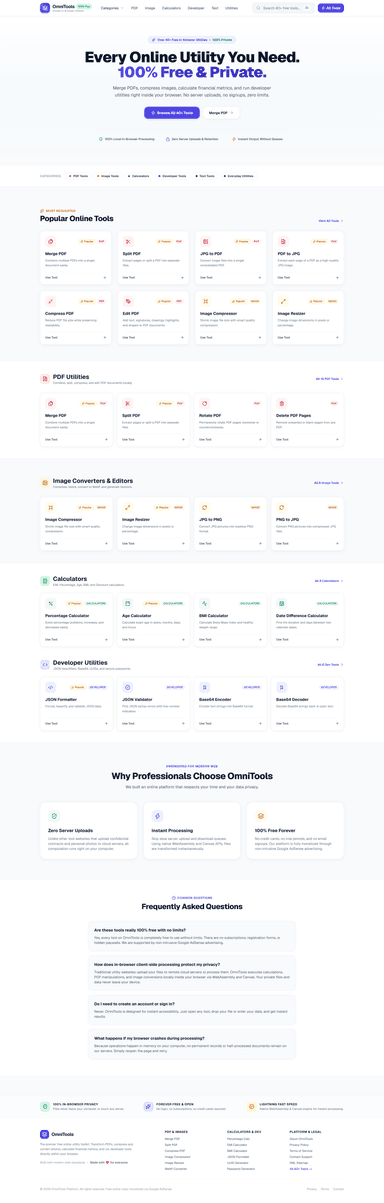
- Omnitools Suite · OmniTools - 45+ In-Browser Online Utilities & Advanced PDF Editor (Next.js 15, React 19, Tailwind CSS)
Frequently asked questions
Is a paid starter kit worth it?
If it saves you days of wiring up sign-in, payments and email, usually yes. Make sure it's actively maintained and that you understand the code.
Can I use one kit for several products?
Only if the licence allows it. Many kits sell single-project and unlimited licences separately.
What's the difference between a starter kit and a complete app?
A starter kit is a foundation you build your own product on. A complete app is a finished product sold with its source.
Where to go next
Competitor details come from each platform's own public pages, checked on the date above. Terms change, so check the source before deciding.